Measure what
matters to you.
Build custom checklists, conditional questions and evidence requirements. Set the KPIs and targets for your operation.
Connect visits, custom audits and in-store assets. Turn field evidence into a clear management view, with AI where it matters.
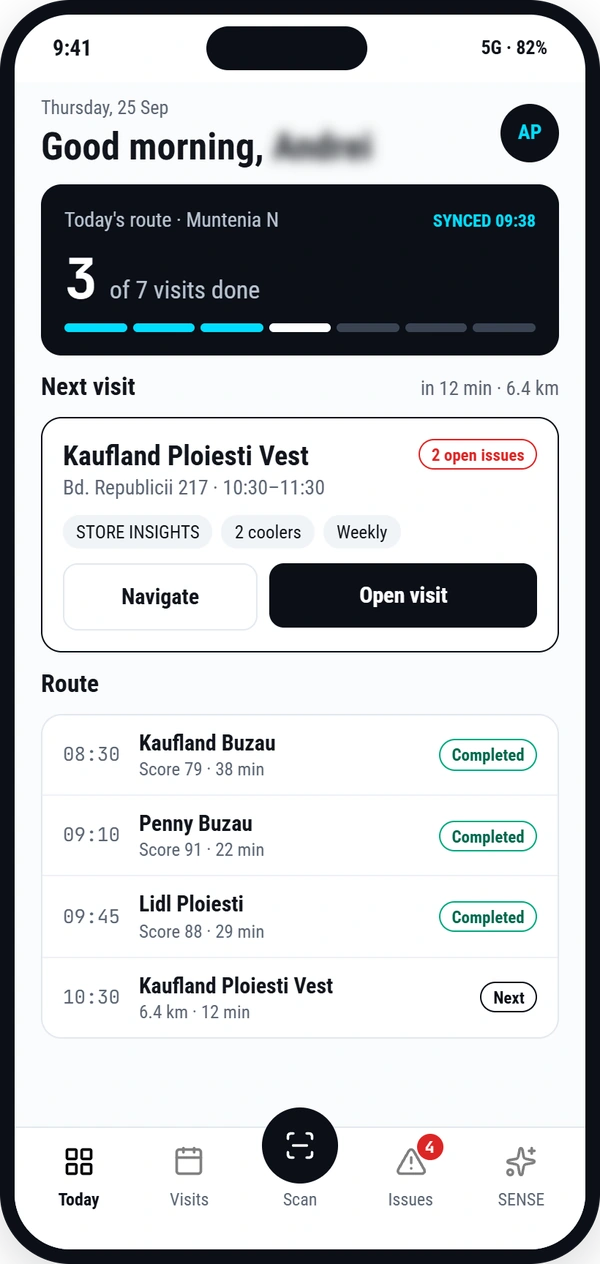
Move through the platform, from the daily plan to the management view.
{{ tourBody }}
Identify products, count facings and read visible prices from photos and video frames. Guide the operator through uncertain results, with the evidence beside the record.
Also available: an AI assistant adapted to your business rules.
Define what good execution looks like. ECHO connects the way it is checked, measured and followed up.
Build custom checklists, conditional questions and evidence requirements. Set the KPIs and targets for your operation.
Bring visits, photos, GPS and timestamps into a shared view, from the person in the store to the manager reviewing execution.
Track issues and responsibilities. Add Asset Management to connect equipment inspections with maintenance follow-up.
A focused demonstration, built around the way your team works.
ECHO connects field activities, custom audits and reporting in a shared system. Your team records the work through the mobile app. Managers follow results through dashboards and reports. Add Asset Management for equipment inspections and SENSE for shelf image and video recognition and AI assistance adapted to your business rules. Both modules are sold separately.
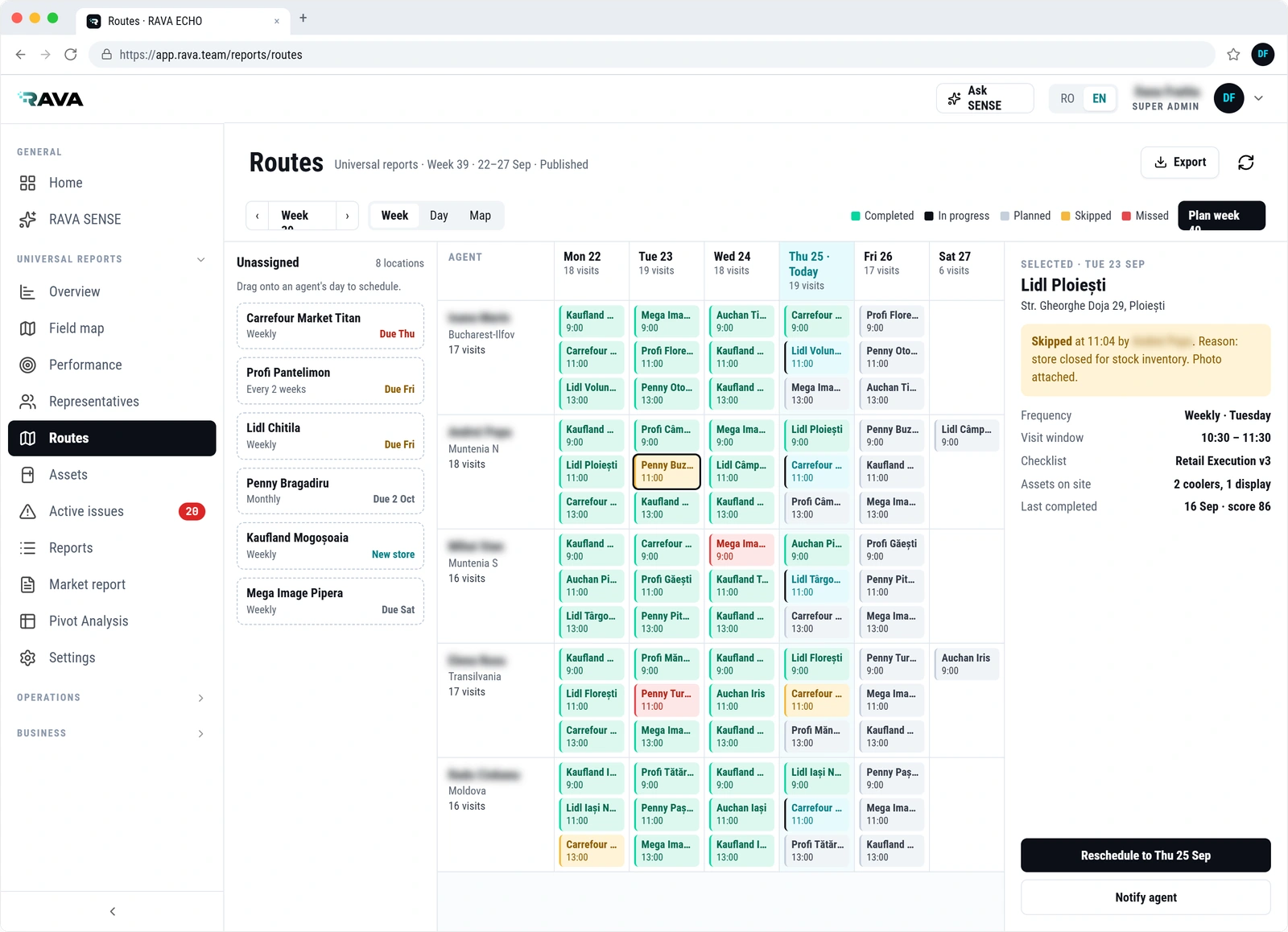
Organise locations, assign team members and define recurring visit frequencies. Publish routes, adjust daily plans and track visit status, including the reasons for skipped or missed visits.
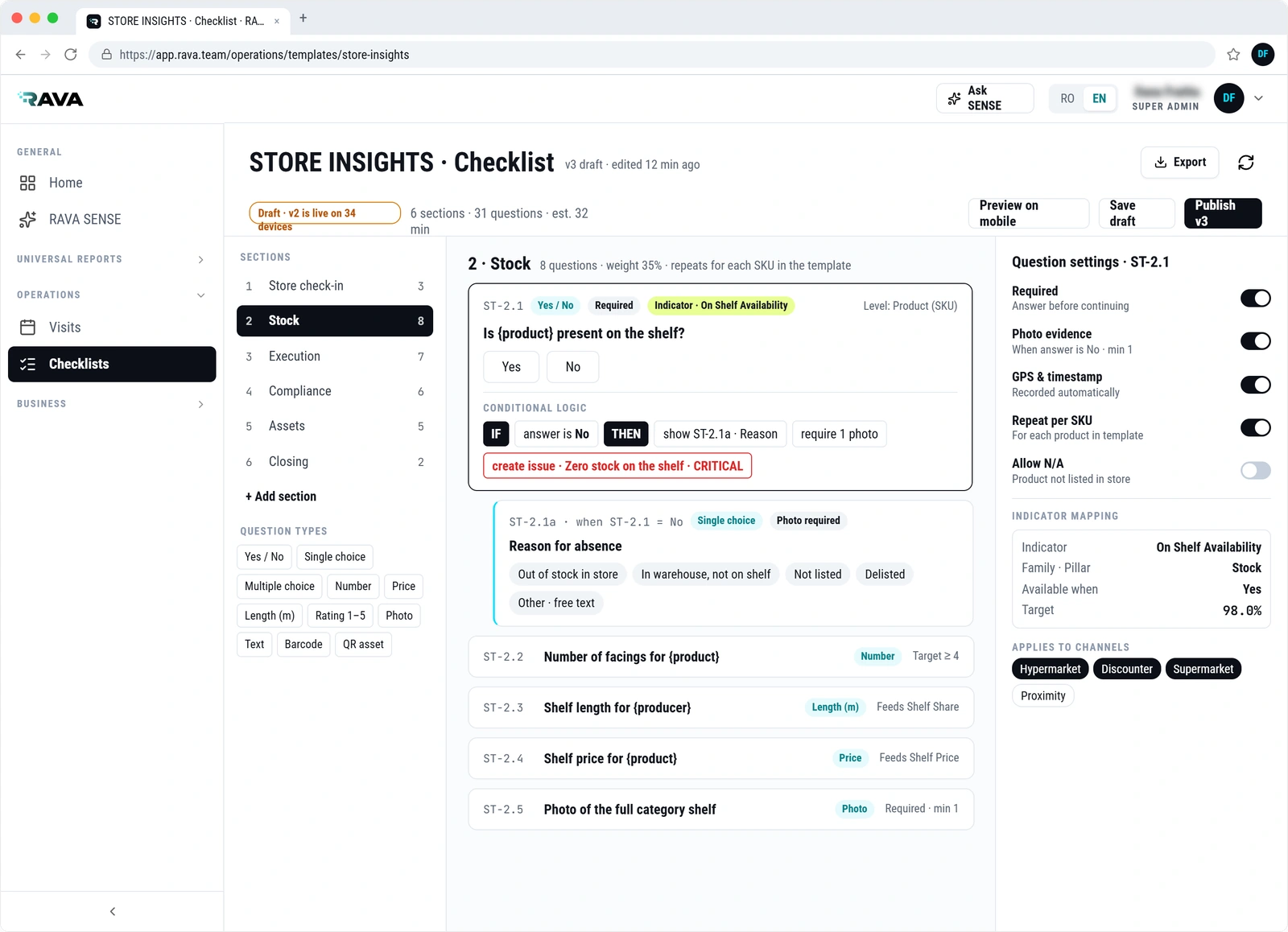
Create the checklists your operation needs. Define your questions, response types, conditional logic and evidence requirements to guide your team through each assessment.
Configure your own KPIs and targets to measure what matters to your business. Connect the information collected in the field with reporting built around your criteria.
Adapt checklists and indicators as your processes, priorities and requirements evolve.
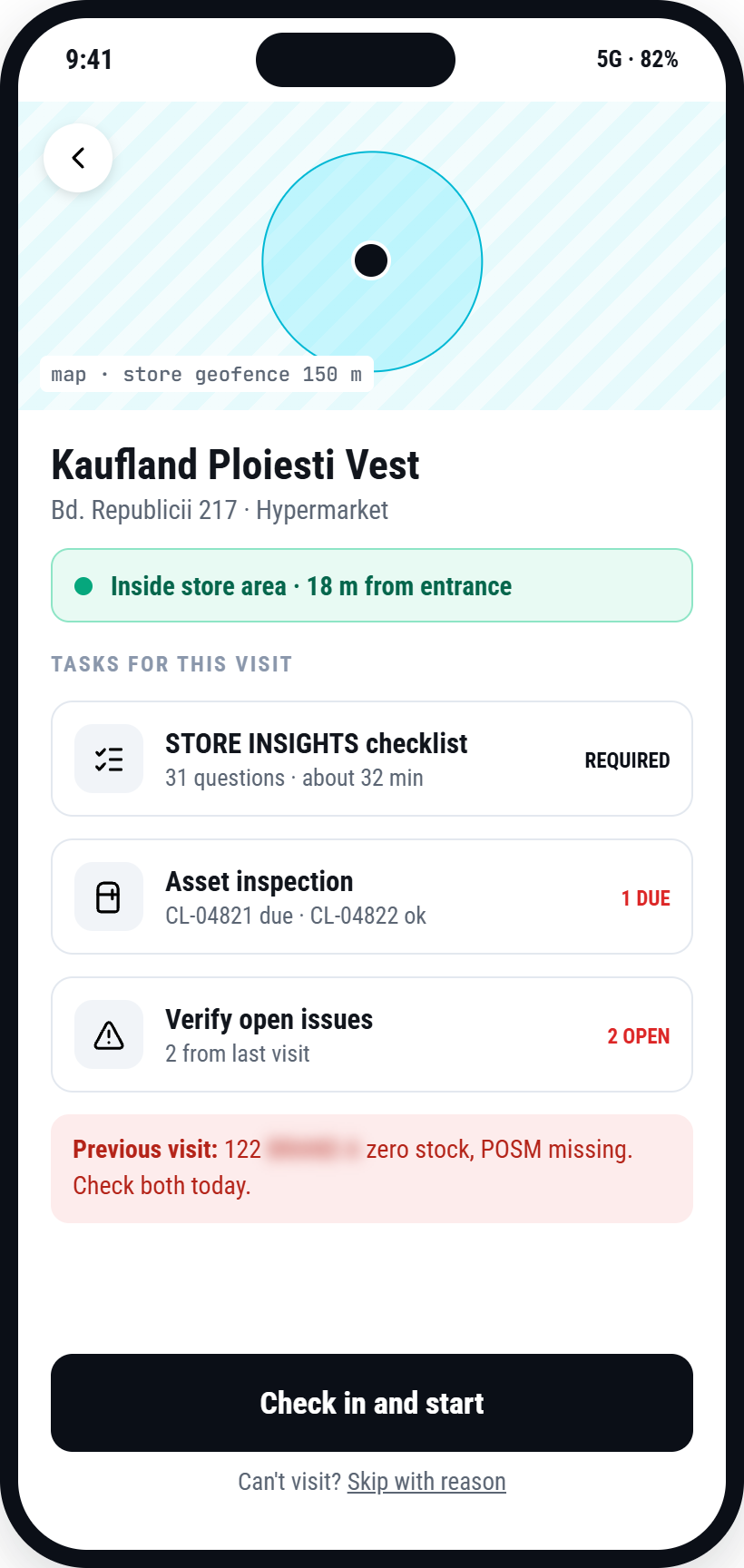
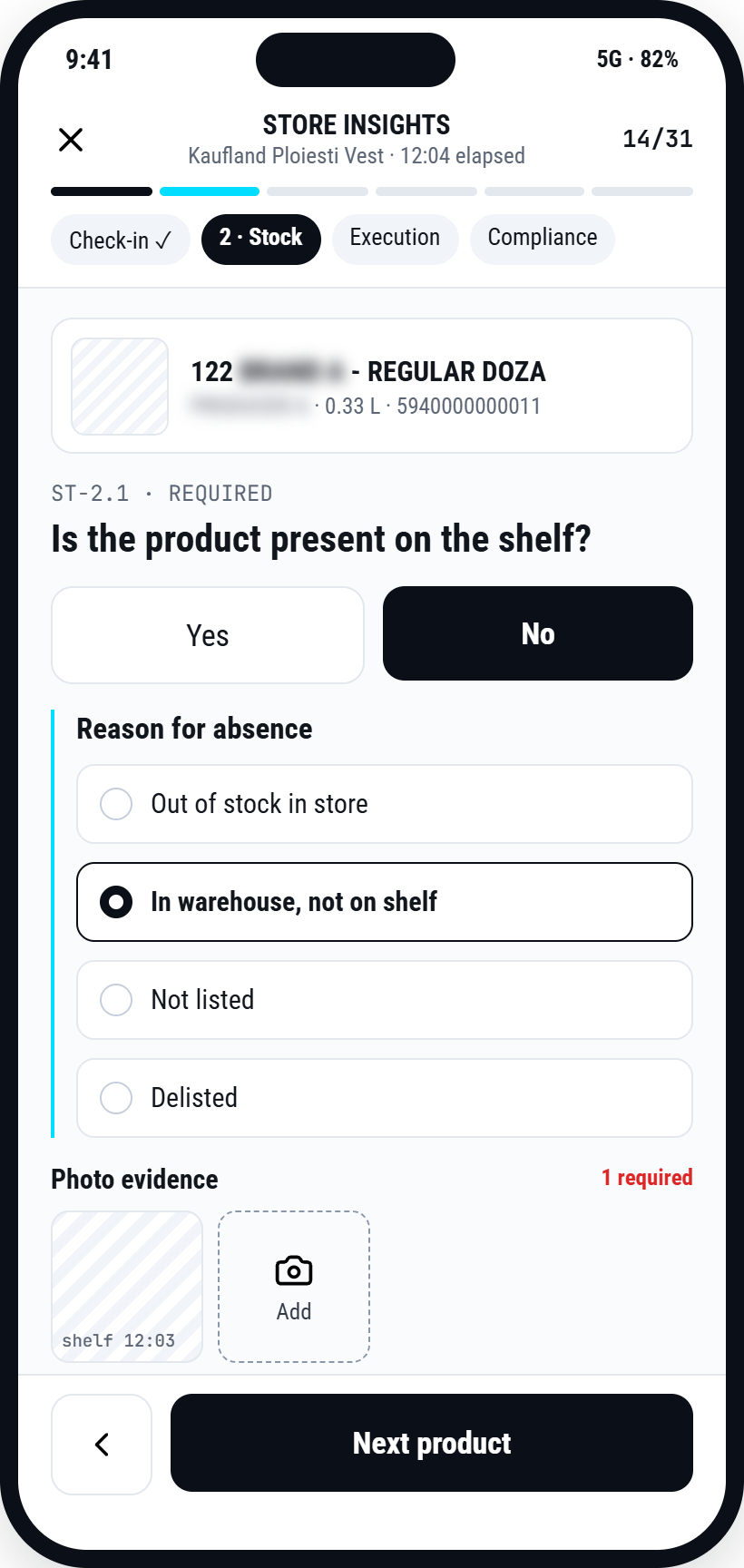
Use guided forms to collect the information your business needs, supported by photos, GPS and timestamps. Retail availability, pricing, promotional execution and operational checks are examples of what a checklist can cover.
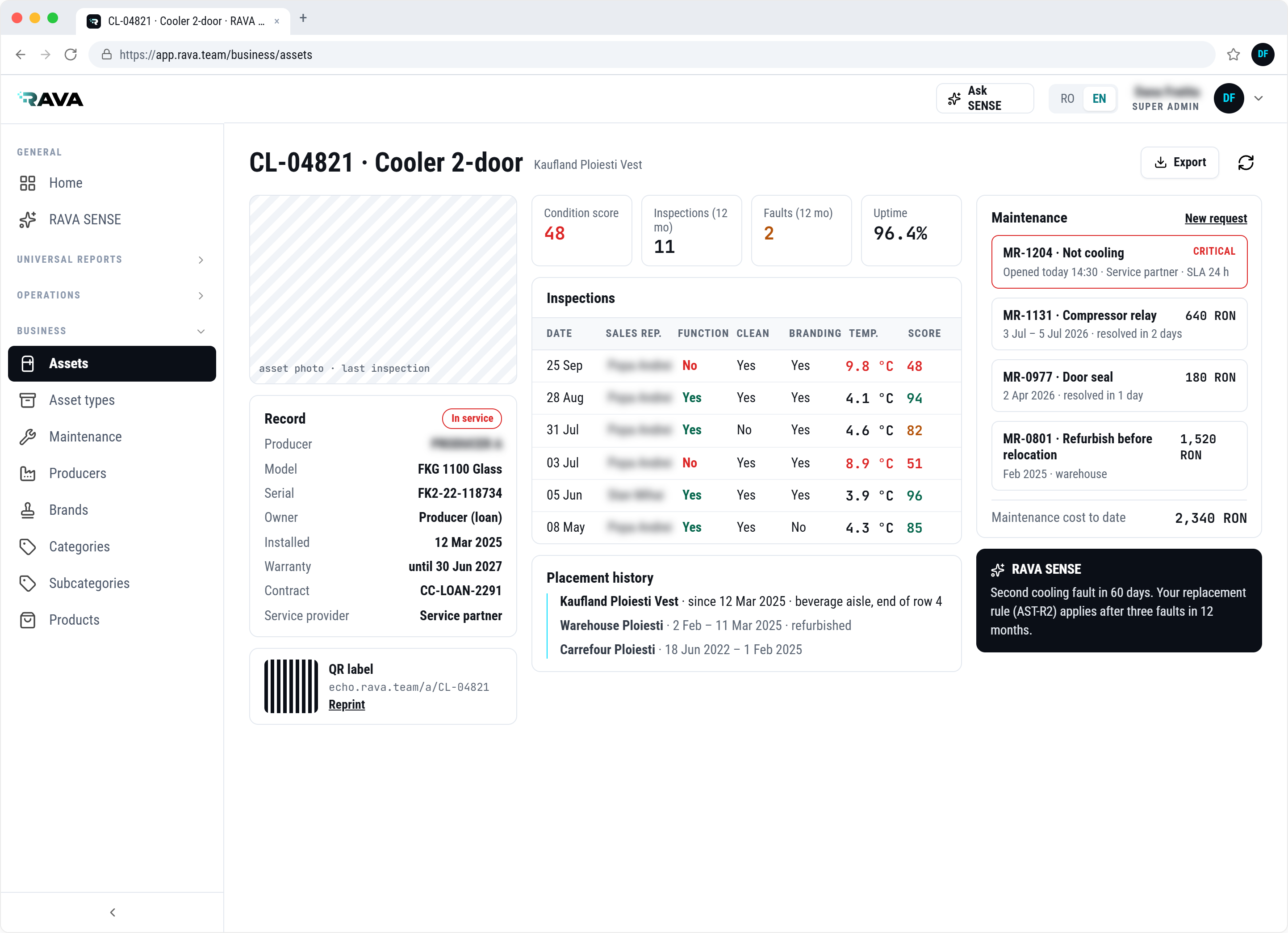
Add the optional Asset Management module to maintain an asset register, track placements and inspect equipment during field visits. Configure inspection criteria for each equipment type and connect reported faults with maintenance follow-up.
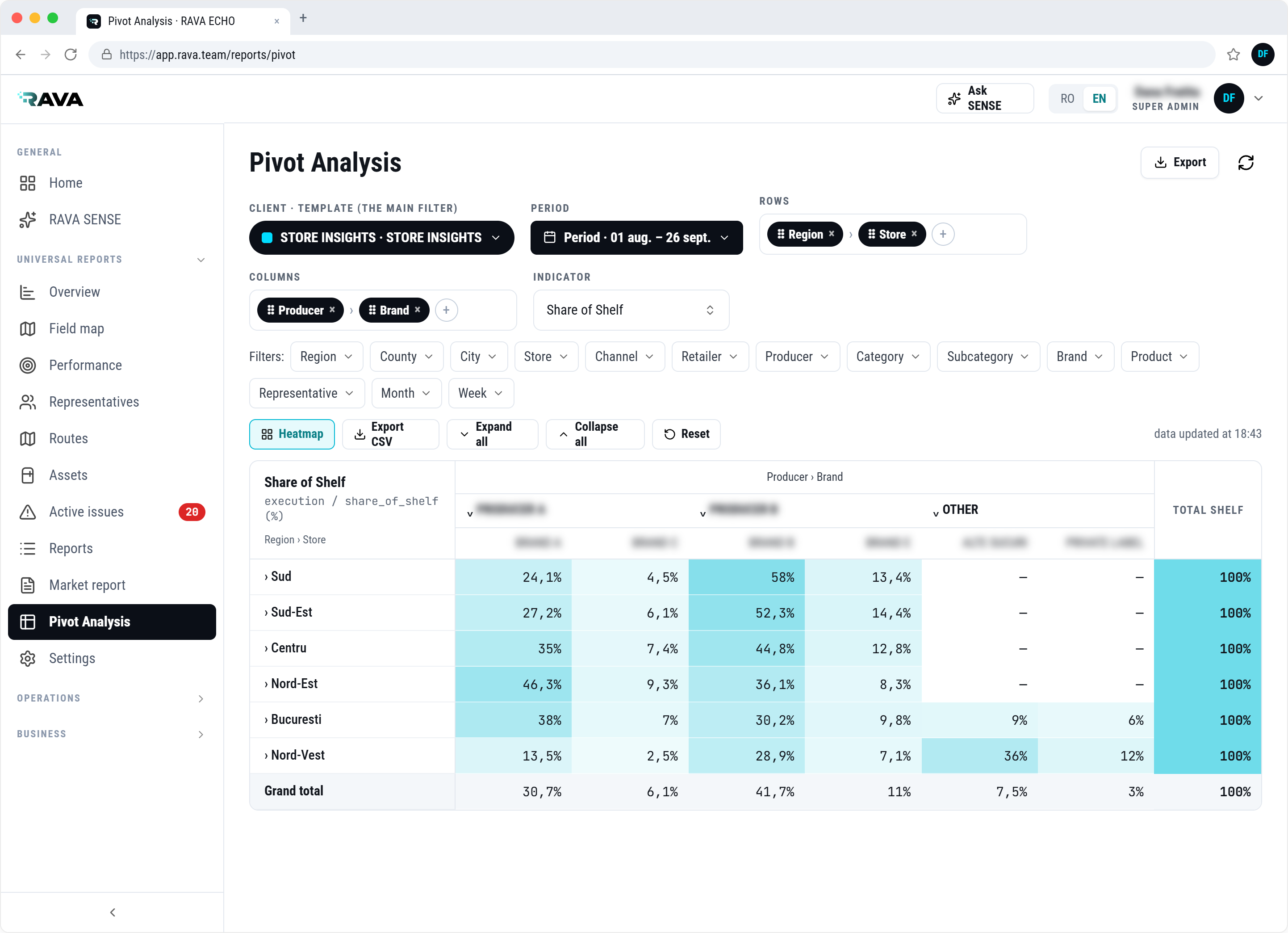
Follow your KPIs against the targets you define and review trends across your operation. Filter results by region, retailer, store, agent or product, and export the underlying data for further analysis.
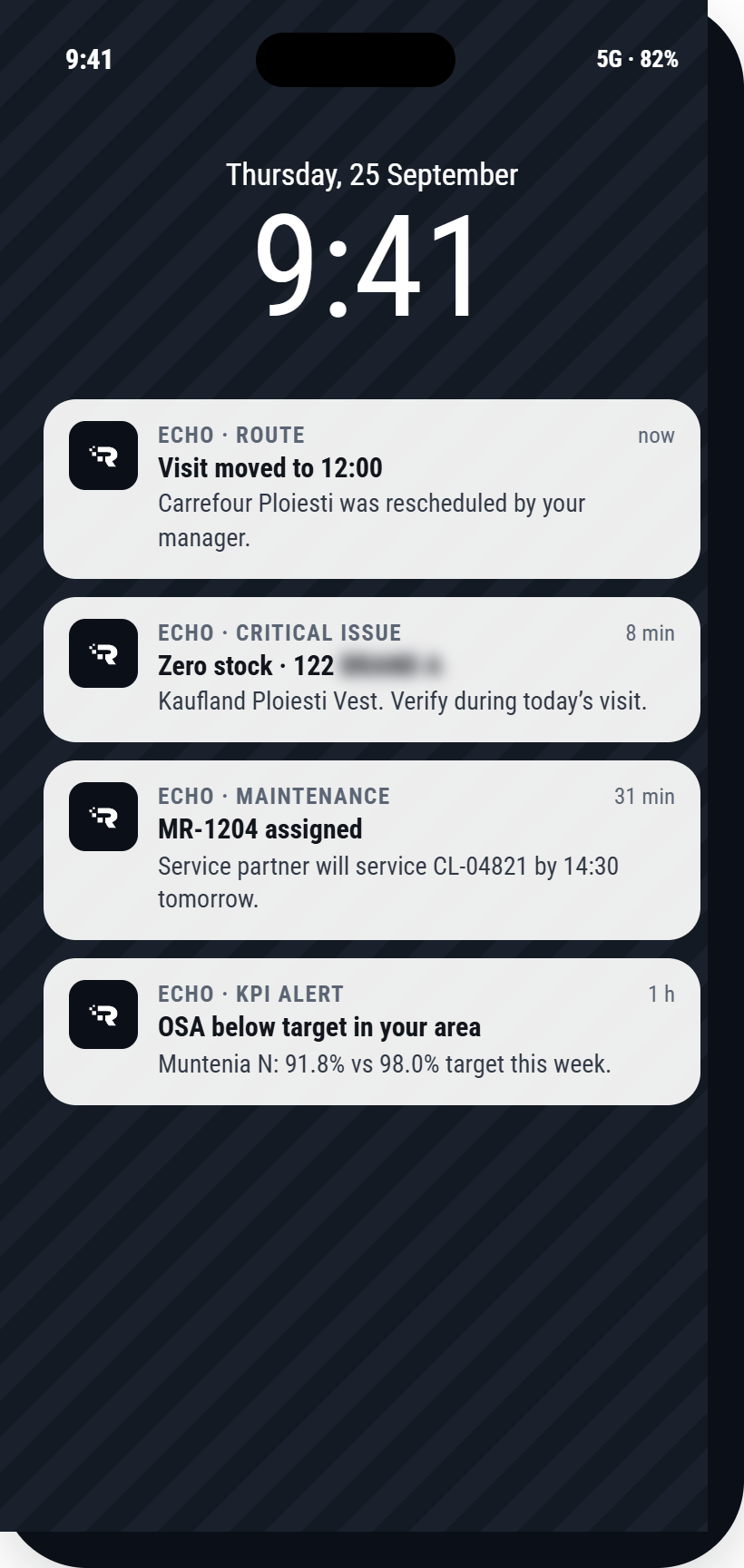
Push notifications bring visit changes, critical issues, KPI alerts and maintenance assignments to the people responsible.
Capture shelf data from images and video, then explore your results with an assistant adapted to your business rules.
Identify products, count facings and read visible prices. Resolve uncertain results with guided checks and review the supporting shelf image.
Ask about locations, indicators and results in natural language. Bring your business rules into the way your team interprets the data.
Bring a field process, checklist or reporting requirement to the conversation. Explore how your business rules can shape the way SENSE supports your team.
AI image and video recognition for retail execution. Capture the shelf, identify products and review facings and prices, with guided verification built into the workflow.
An optional module for ECHO. Configured around your products, audit requirements and business rules.
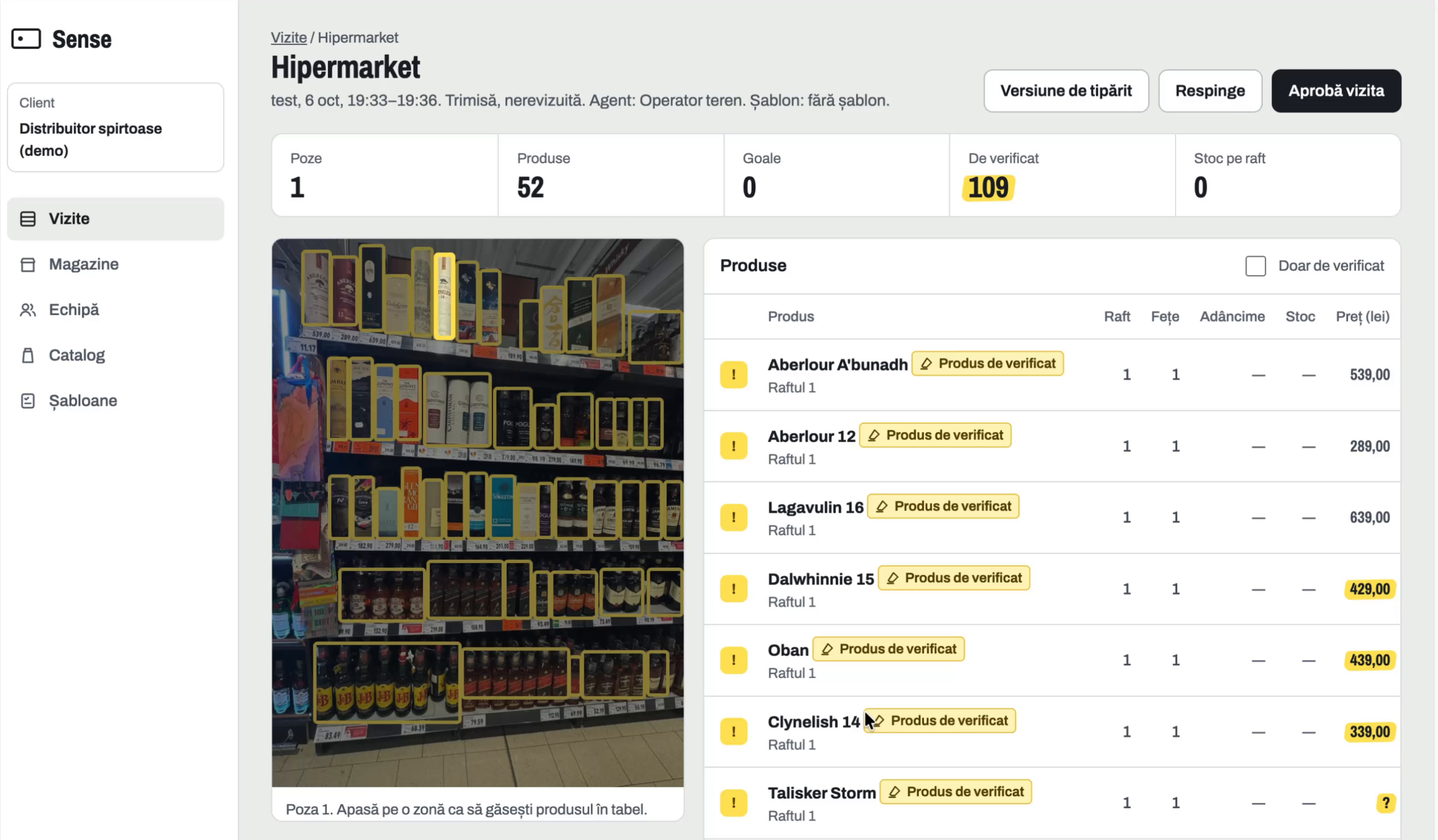
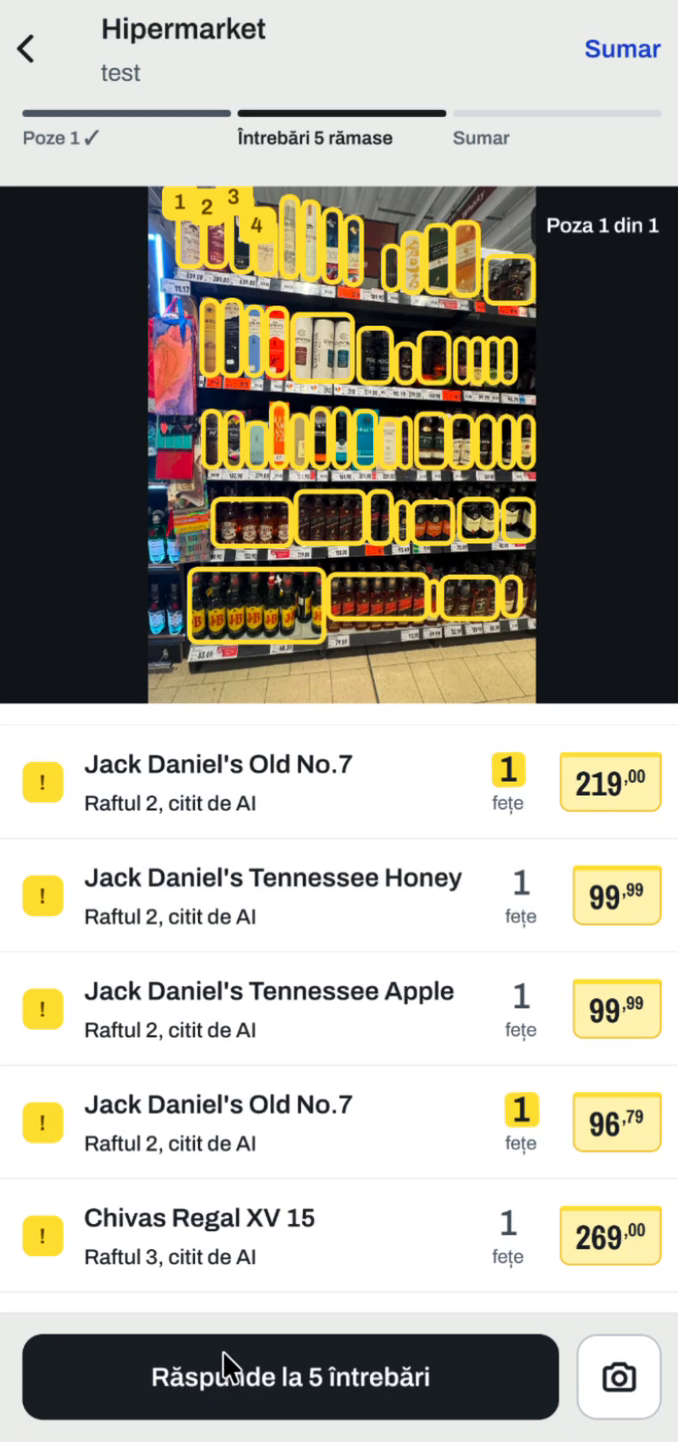
Follow the same shelf from the mobile capture to a reviewable product record.
{{ senseStageBody }}
{{ senseStageNote }}
Screens from the recorded demonstration. Some values are awaiting verification. Select a screenshot to inspect it.
Recognise visible products and flag matches that need confirmation.
Record the number of product fronts visible on the shelf.
Read visible price labels and flag unclear or missing values.
Calculate brand share from recorded facings in the captured area.
A short walkthrough of capture, recognition, operator checks and web review.
Capture a shelf section or record a short video along the shelf.
Analyse images and video frames for products, facings and visible prices.
Confirm uncertain products and values. Retake images where detail is missing.
Review the visit in web, with the image linked to the product record.
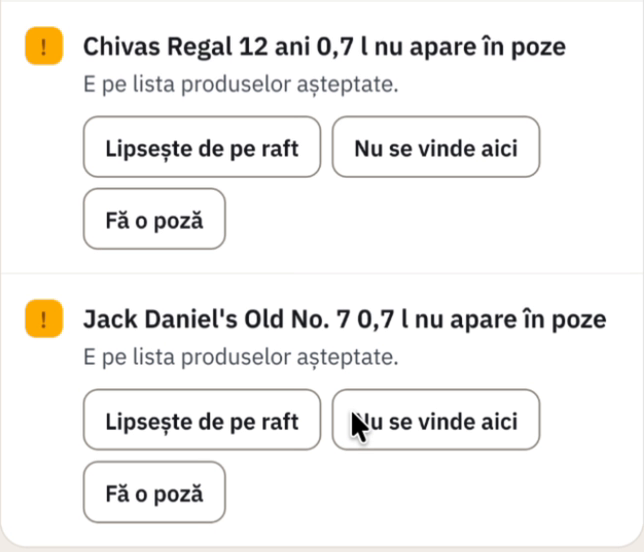
Use operator checks to clarify what the image cannot establish, and review the measures that follow.
A product absent from a photo may be out of view, missing from the shelf or not sold at that location. SENSE asks the operator to clarify the situation.
See the product count, recorded facings, available prices and brand share of shelf. Trace those measures back to the captured area and the data collected.
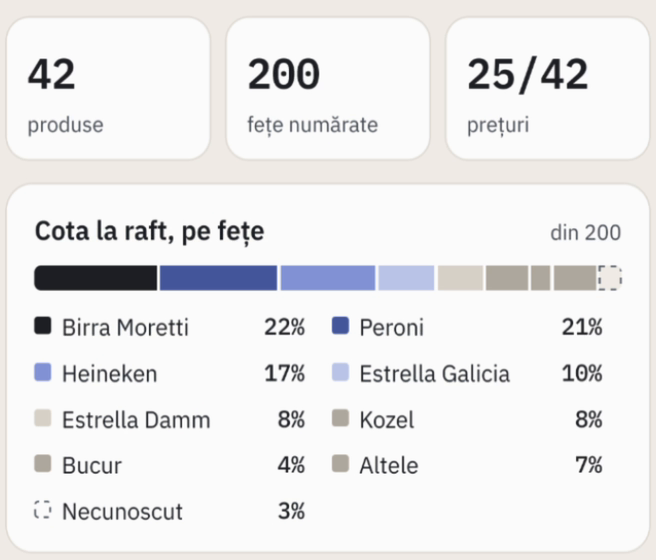
The examples show demo data and a facings-based share of shelf. Measurement scope follows the audit setup.
Ask about results, locations and indicators in natural language. SENSE uses your company's rules and requirements to help users find relevant information and interpret their results.
Explore a specific KPI, request a summary or investigate the locations that need attention.
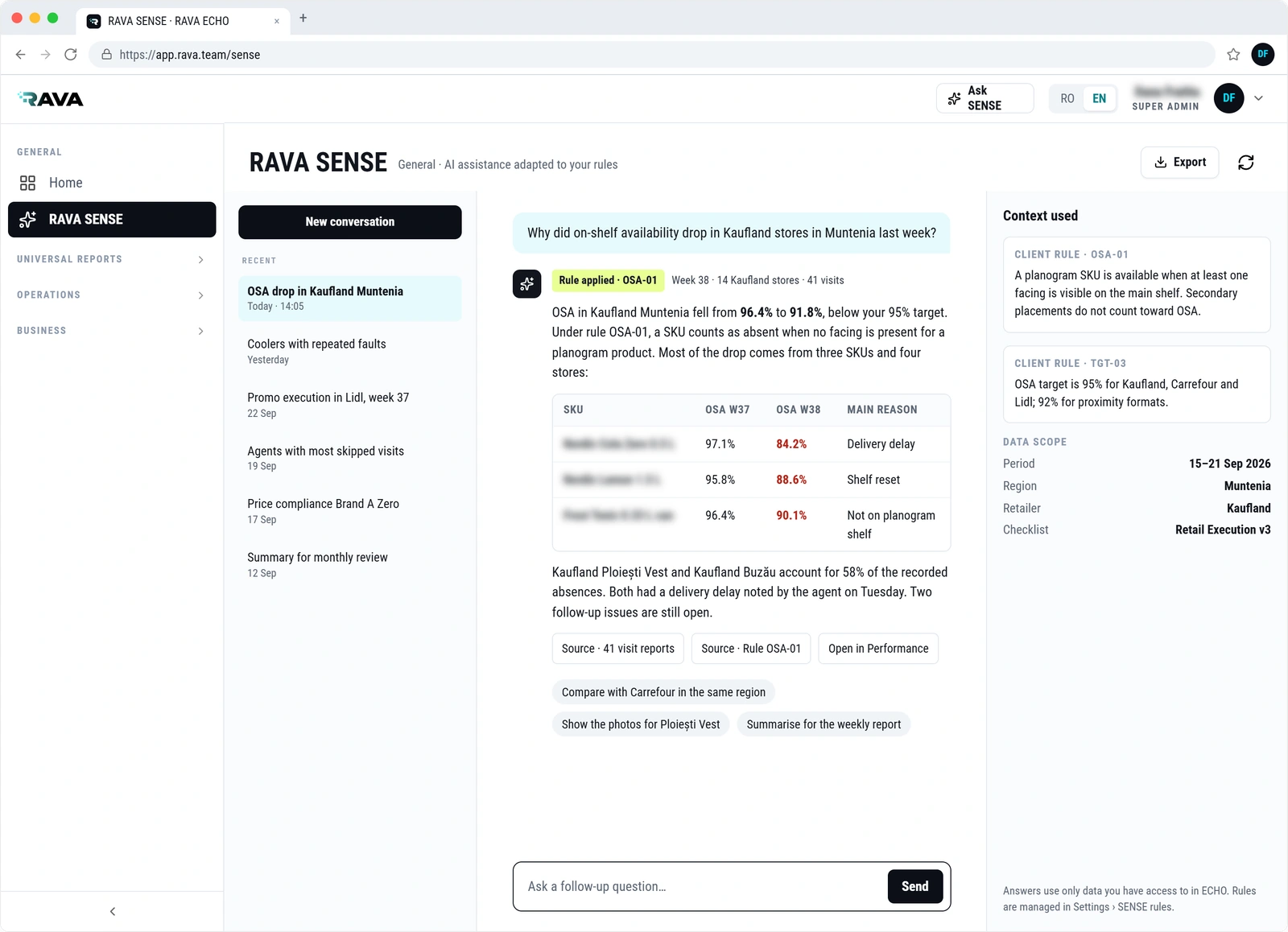
Bring your product list, shelf audit requirements and business rules. We will walk through the workflow and discuss the right setup for your team.
RAVA SENSE is an optional module, sold separately from ECHO Platform.
Manage coolers, freezers, display counters, dispensers and other equipment through a connected register of placements, inspections and maintenance activity. Asset Management is an optional ECHO module, sold separately.
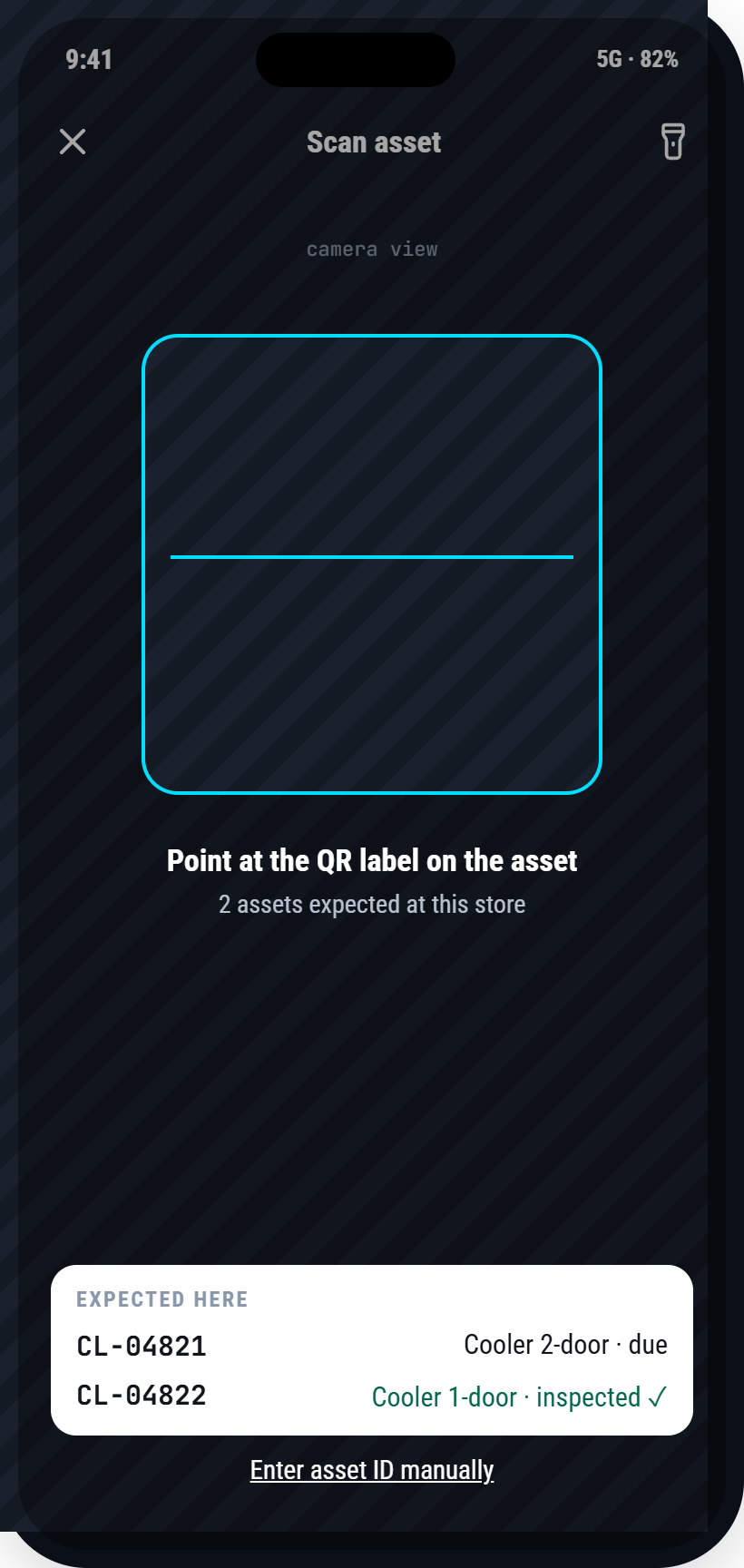
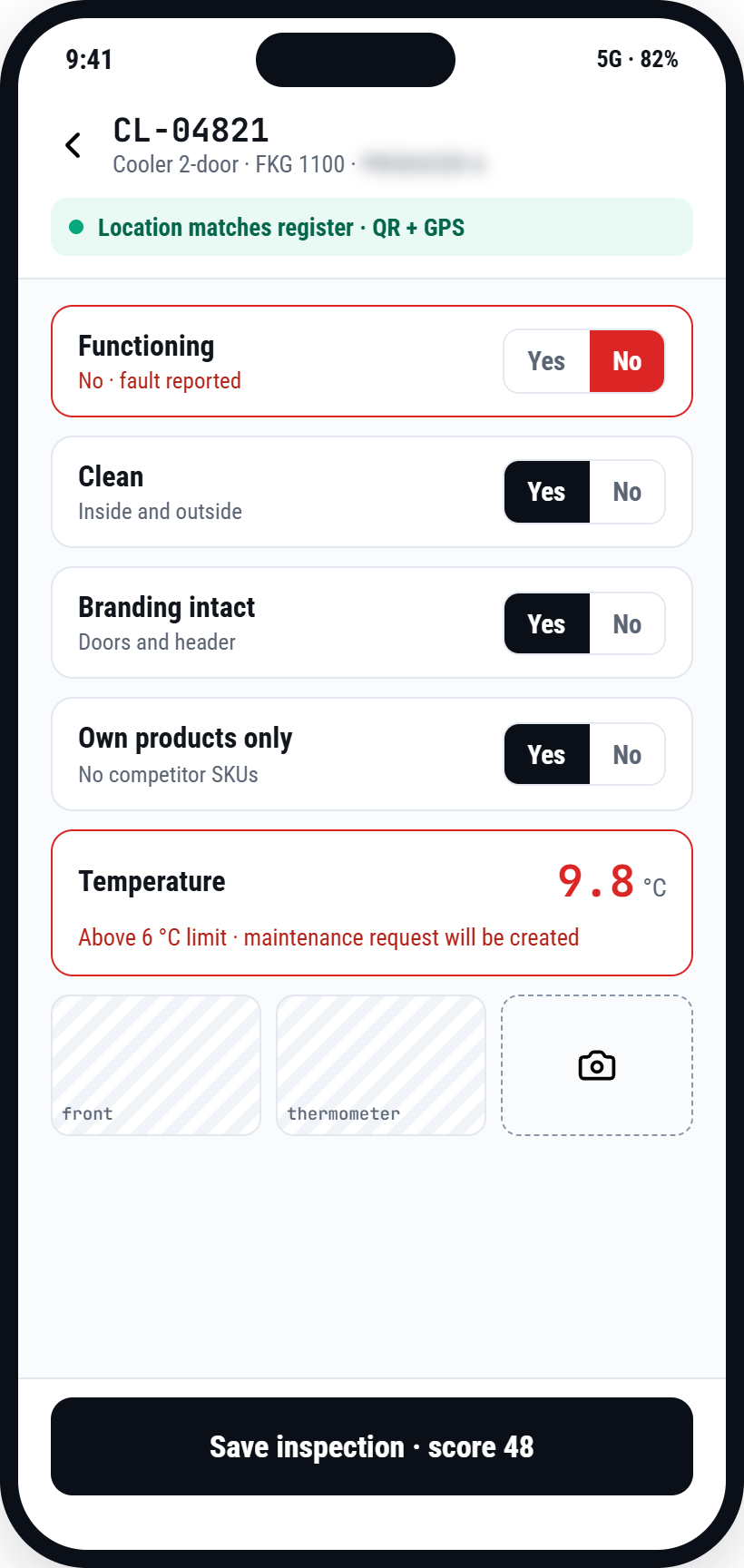
Keep identification, ownership, serial numbers, warranty details and QR codes together. Record where each asset is placed and retain its movement history.
Scan the QR code to identify an asset and record its condition. Configure inspection checklists and KPIs around your equipment and operating requirements.
Functionality, cleanliness, branding and temperature are examples of checks your team can record where relevant. Support observations with photos, timestamps and location data.
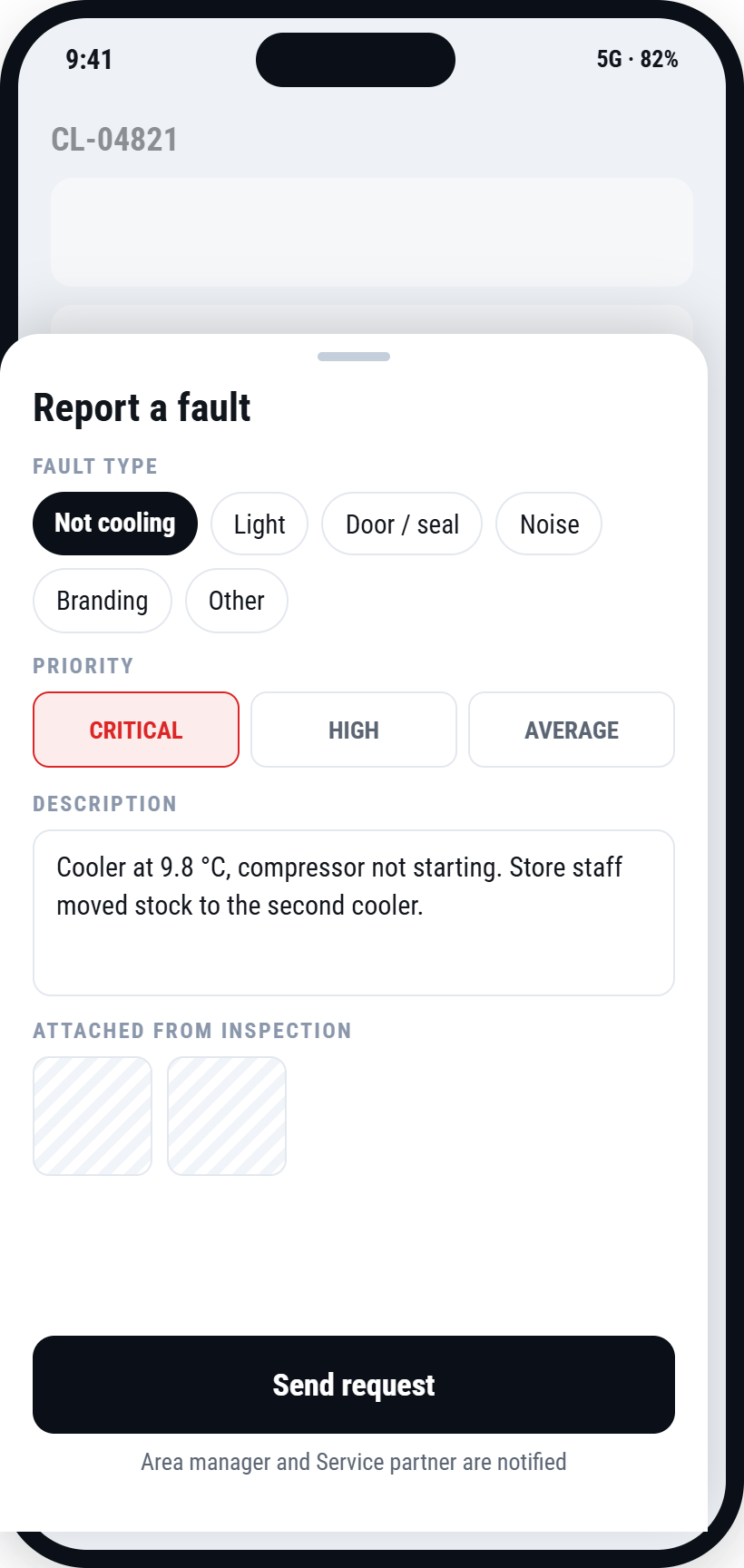
Create service requests, set priorities, assign responsibility and follow progress through resolution. Keep repair notes, parts and costs linked to the asset.
Review overdue inspections, open maintenance requests, condition scores and location mismatches. Follow maintenance costs and the time taken to resolve issues.
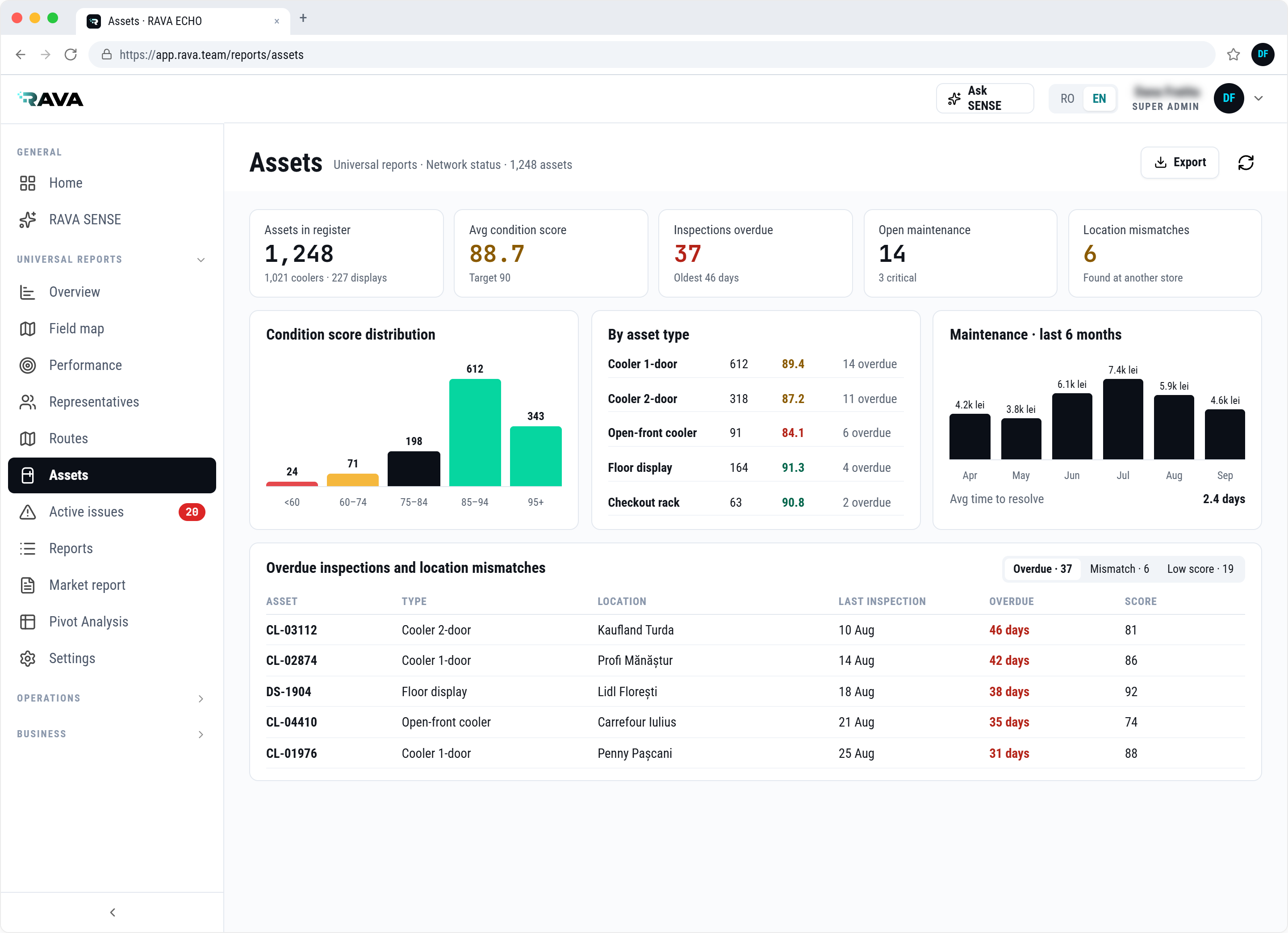
Explore how your team can inspect equipment during its regular visits and keep the asset history up to date.
Build field workflows around your own checklists, business rules and KPIs. The examples below show some of the ways ECHO can support your operation.
Bring your visit process, checklist, reporting requirements and business rules. We can walk through how they fit within ECHO.
Start with ECHO Platform through a SaaS subscription per licence for your own team. Add Asset Management, SENSE or both according to your requirements. Optional modules are sold separately.
{{ p.desc }}
 {{ it }}
Asset Management and SENSE are optional modules for ECHO Platform, sold separately.
Tell us how your team is organised, which locations it covers and what information it needs to collect.
We will use those requirements to discuss ECHO Platform, the optional modules you need and a licensing proposal for your team.


{{ f.a }}
RAVA brings together field execution and technology. ECHO turns that operational perspective into software that companies can use with their own teams.
The platform connects planned visits, custom checklists, asset inspections and management reporting. SENSE adds shelf image and video recognition, alongside AI assistance adapted to each company's rules and information needs.
Our focus is practical: help teams understand what needs to be done, record what happens in the field and make that information useful to the people managing the operation.
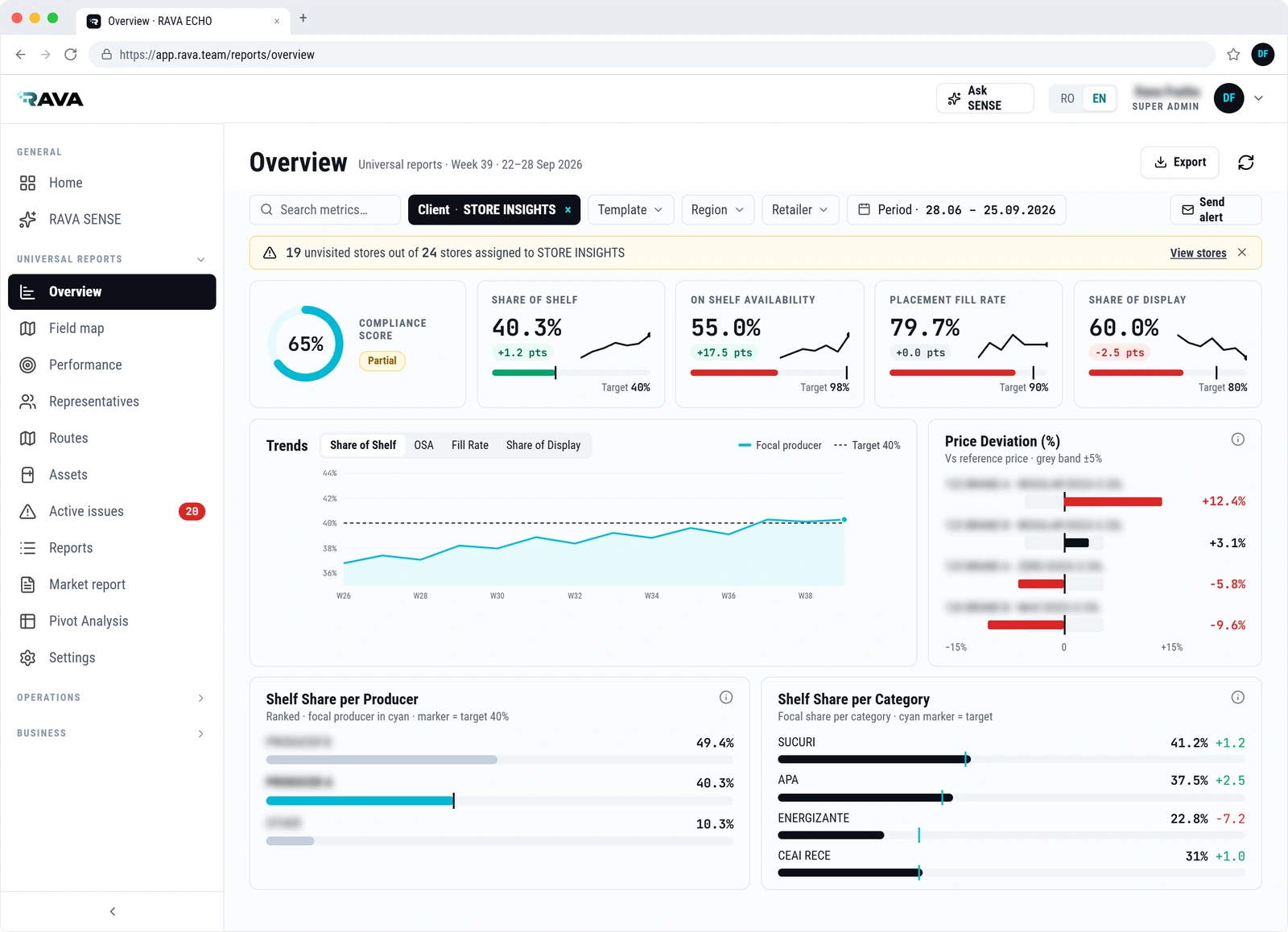
Talk to us about the activities you manage and the information you need.
RAVA is part of The Hub.Tell us about your team and the activities you manage. We can focus the demonstration on the workflows that matter to you, including custom checklists, reporting, asset management, AI image and video recognition, and the SENSE assistant.
{{ demoSuccess }}
ECHO adapts to the way each industry organises its field work. The checklists, KPIs and reports below are examples. Each setup follows your own requirements.
Tell us about your sector, your team and the information you need. We will show how ECHO can be configured for it.
Import the master data your team works with and send field results to the tools your managers rely on. The scope of each integration is defined together with your team during setup.
{{ b.d }}
We will review your data sources and reporting tools and propose the integration scope for your setup.
ECHO holds operational data about your locations, products, team and results. Access follows your organisation, evidence is recorded at the moment of capture and your data remains yours.
Each user sees the clients, regions, locations and reports that correspond to their role. Administrators manage users, roles and permissions from Settings.
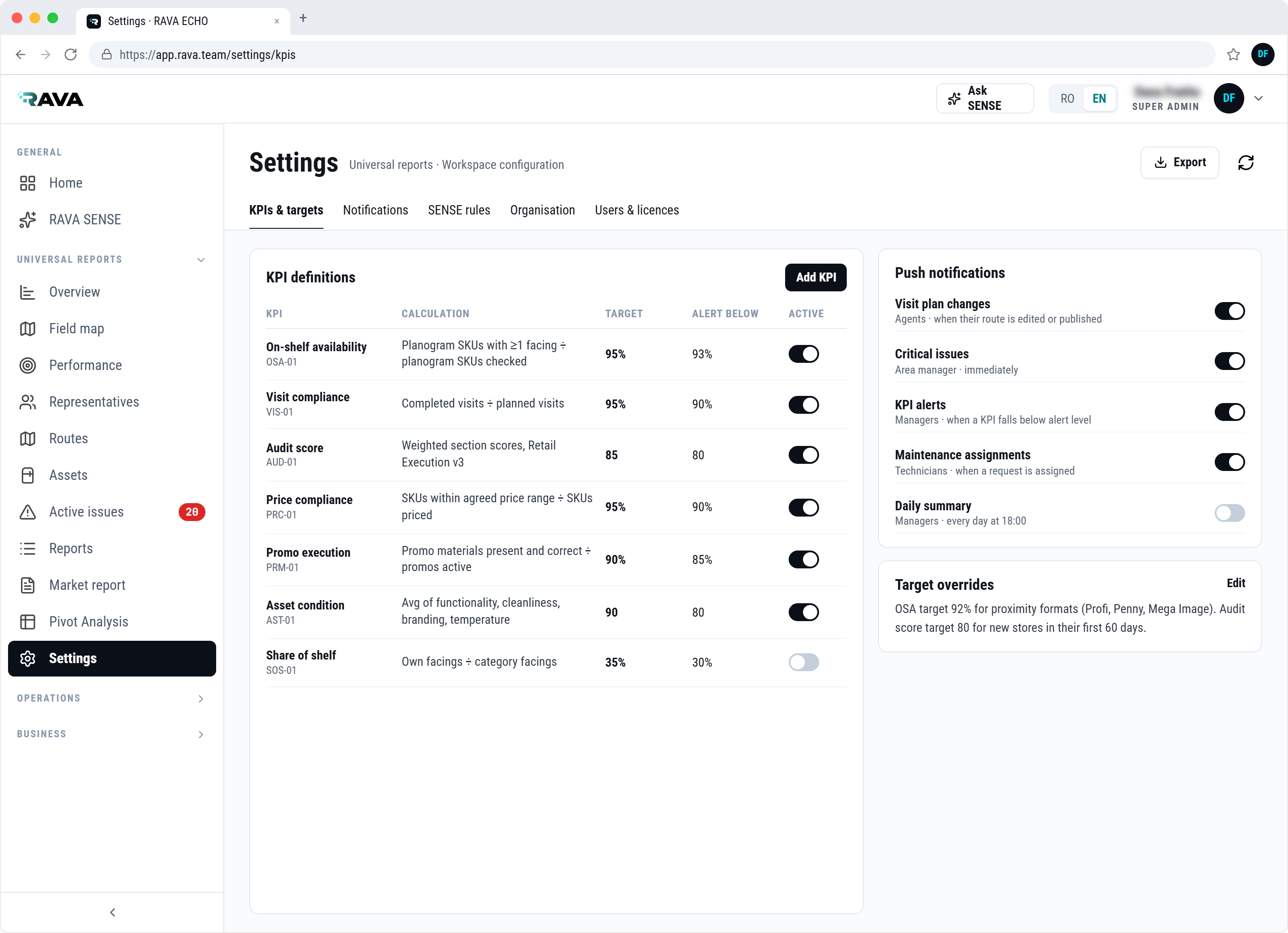
We can share the technical and contractual details your IT and legal teams need.
ECHO is configured around your operation before your team starts using it. We work with you from the first review of your workflows to the full rollout, and support your administrators afterwards.
{{ s.body }}
The more of this information you have at the start, the faster your setup goes. We can work with spreadsheets or exports from your current systems.
Show us how your team works today. We will propose a setup, a pilot and a timeline.
Practical material on audits, KPIs, visit planning and in-store equipment, and news about ECHO.
{{ art.intro }}
{{ s.p }}
{{ a.d }}
Read
Questions about ECHO, partnerships or press. Send us a message and we will reply by email.
RAVA is part of The Hub. © 2026 PRIAS VISION SRL
{{ contactSuccess }}
{{ p }}
{{ p }}
Recorded product demonstration. Edited to 21 seconds; processing waits omitted.


